I’ve Released Shogi Review Notes: Turn Your Game Reviews into Articles
Contents
I wanted to share my reviews of online shogi games on my blog or on note, complete with board diagrams!
So I made Shogi Review Notes. It’s a free browser tool that doesn’t require a login.
Why I made it
In my game reviews, I wanted to include not just the moves actually played, but also variations showing what might have happened if I’d chosen a different move.
But among the tools I’d tried, I hadn’t found one that let me smoothly go from reviewing a game and trying variations to making diagrams and putting them in an article. Taking lots of screenshots of a game site and pasting them into an article felt inconvenient too.
On the other hand, when I previously wrote a Kindle book about shogi, I’d built a system for creating clean board diagrams. Perhaps I could use it to make writing game reviews easier. That was the idea behind Shogi Review Notes.
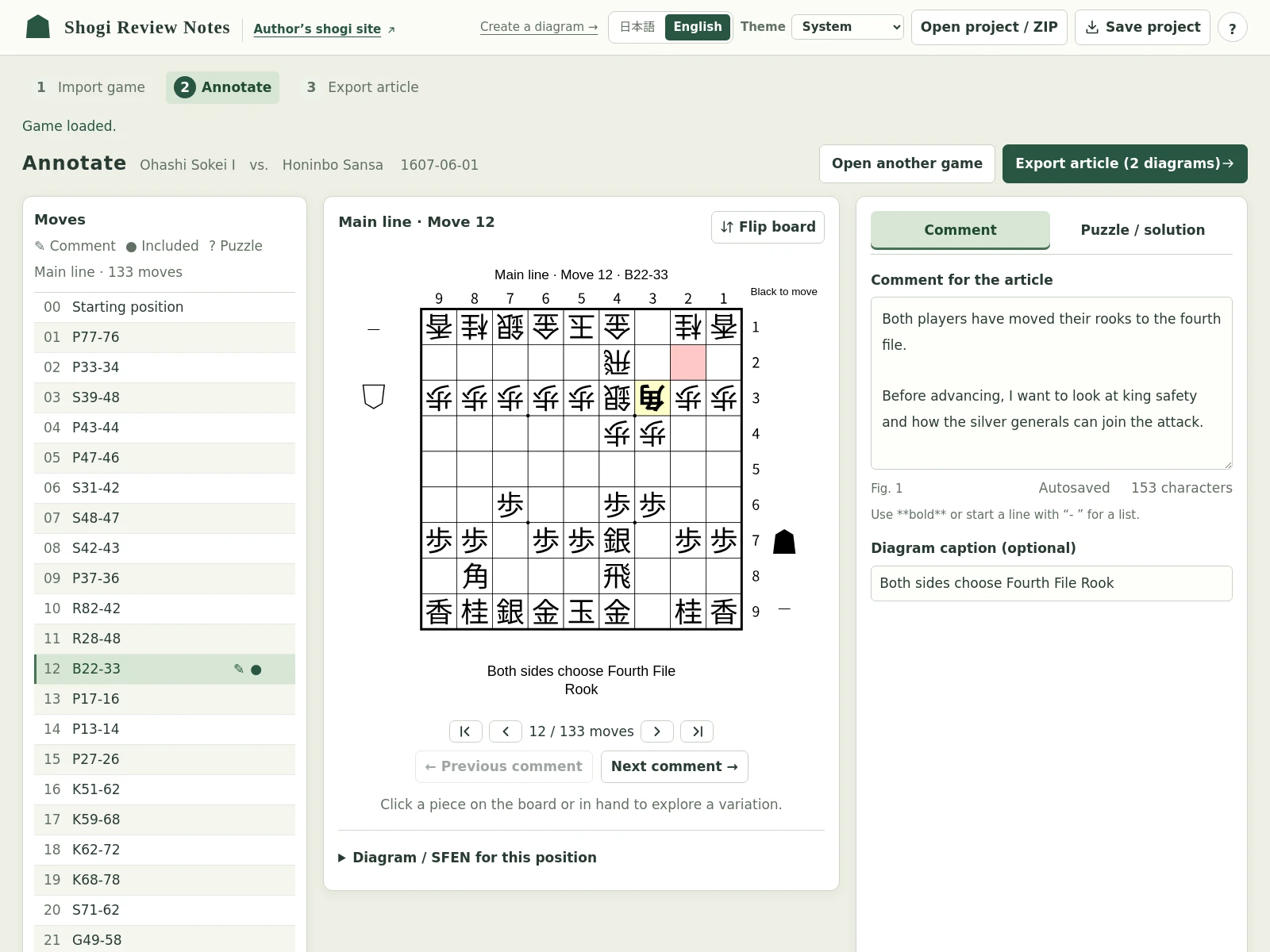
Import a game and comment on the positions that interest you
First, copy the game you want to review in KIF format. I’ve confirmed that game records from Shogi Wars, Shogi Quest, and lishogi can be imported.
Next, open Shogi Review Notes, paste the game record, and click “Load and annotate.”
Once the board appears, step through the moves and add comments to the positions that interest you.
You can write things like “I wasn’t sure about this move” or “Maybe I should have taken that pawn” while looking at the board. Positions with comments are automatically selected as diagrams to include in the article.
To open a saved KIF file, use “Choose KIF file.” If you don’t have a game record handy, start with “Try a sample.”
Try variations or create puzzles
Moving pieces on the board creates a variation separate from the actual game. You can play through what might have happened after a different move and leave comments on those positions too.
You can also turn a position into a puzzle, complete with a solution line and an explanation. This is useful when you want readers to think about what they would play.
There’s some space before the solution, so readers won’t accidentally see the answer as they scroll through the article.
Export an article with board diagrams
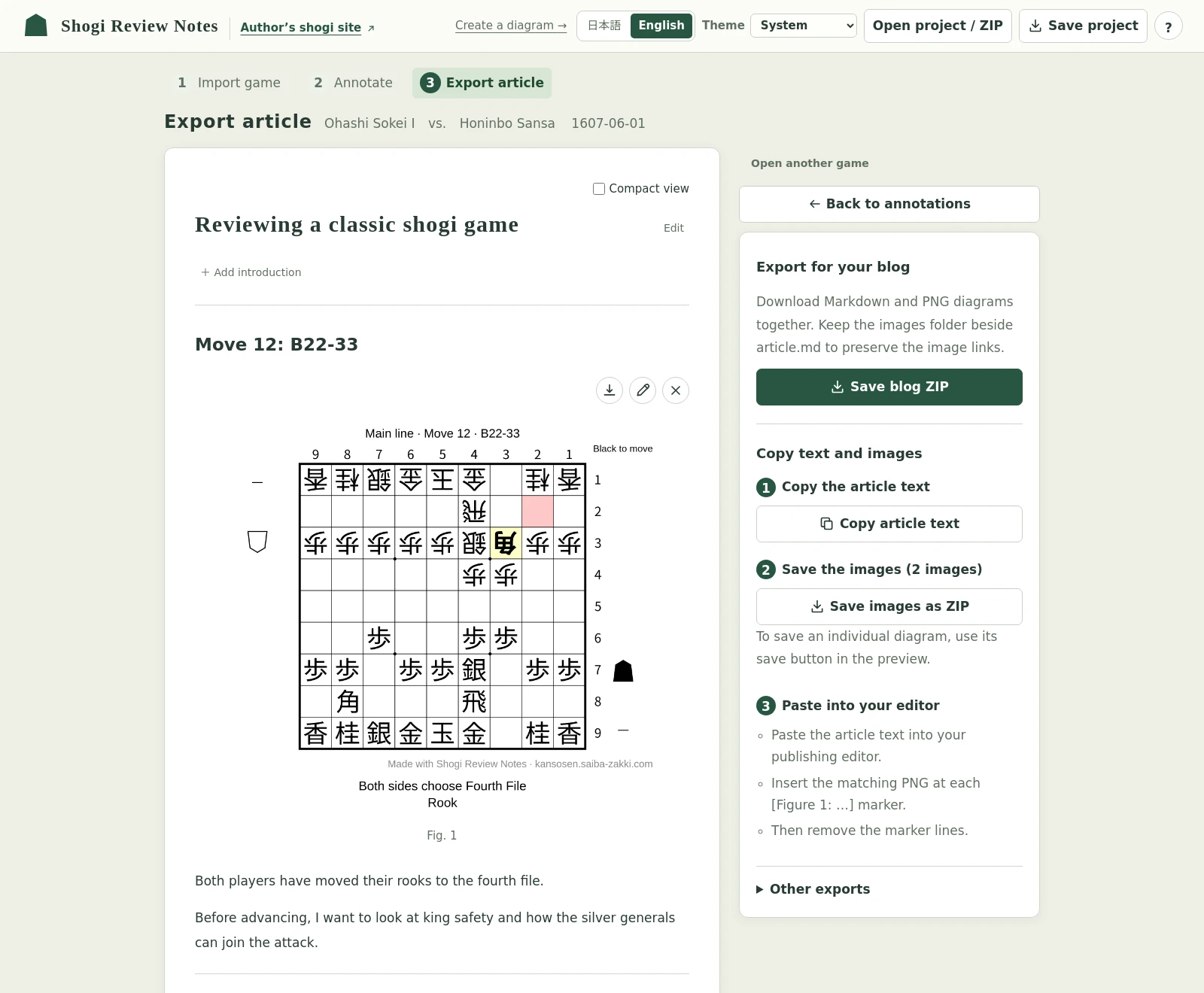
You can preview your comments alongside the diagrams, then adjust what to include and in what order.
For note, you can copy the text and save the images. For blogs, you can download a ZIP containing Markdown and images. Put the exported text and images together in your publishing editor.
There’s also a tool just for making diagrams
Alongside the game review tool, I’ve made Shogi Diagram Maker, which lets you arrange pieces freely to create a board diagram.
You can import SFEN or place pieces on the board yourself. Save the resulting position as a PNG image or SFEN.
Give this a try when you just need a single diagram for an explanation or a puzzle.
Using the tool
Your game records and comments aren’t uploaded, and your work is saved automatically in the browser you’re using. For anything important, it’s a good idea to use “Save project” to keep a file on your device too.
The tool supports KIF records of even games. Handicap games and KIF files containing variations aren’t supported. You can create variations on the board after importing a game.
I recommend using a PC or tablet. It may be awkward to use on a smartphone. You can switch the interface between Japanese and English.
I’d be happy if you gave it a try when reviewing your own games or writing about them!